


UnitedHealthcare publishes rates two ways. In most states, rates arrive with the plan data and your quote prices itself. In a specific group of states, UnitedHealthcare prices through a live carrier connection instead of a published rate file — so plan designs arrive without rates attached.
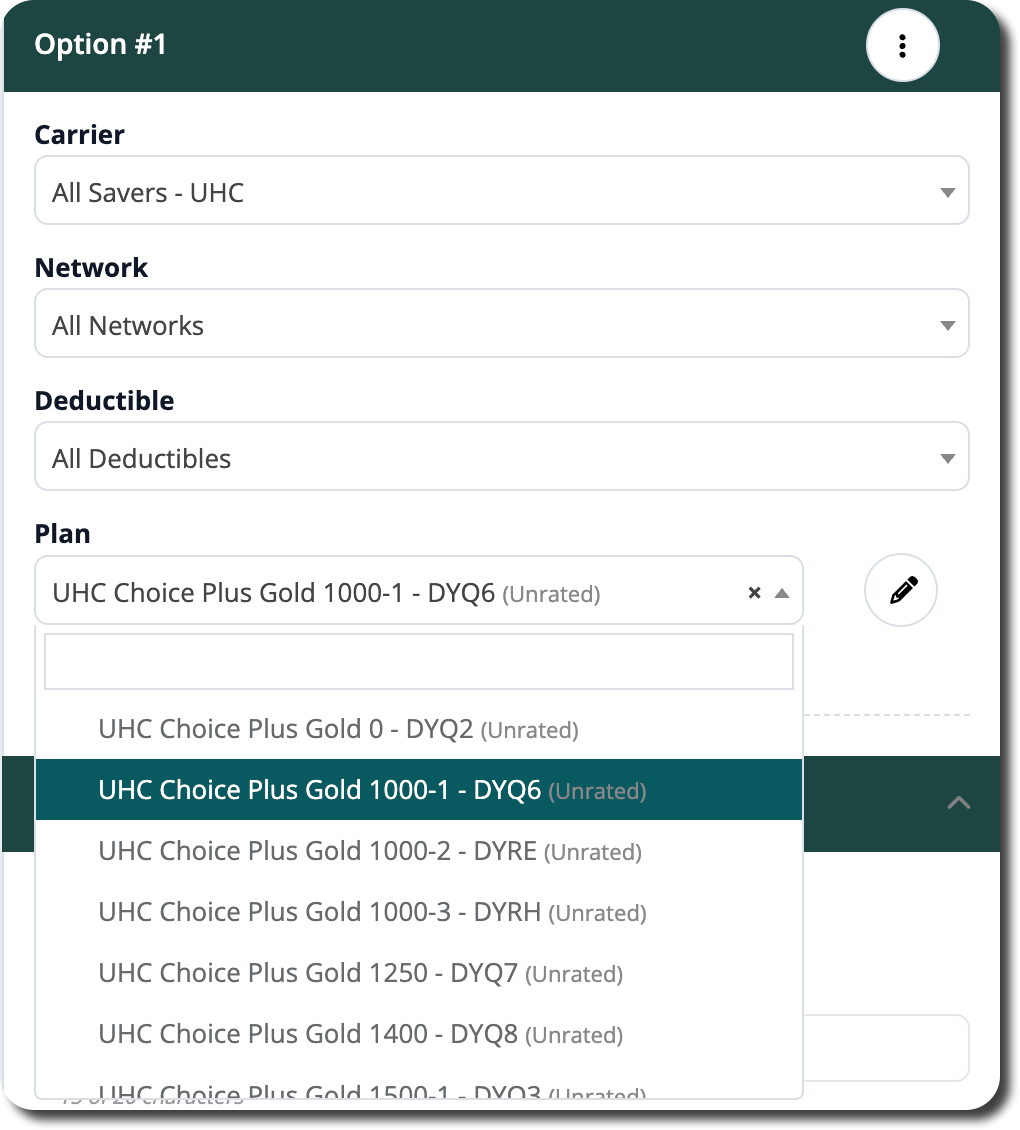
Those plans are still available. They appear in the plan list with (Unrated) after the plan name, and you enter the rates from the group's bill. The plan design, HIOS ID, SBC, and every benefit detail come through exactly as they do anywhere else, so the current plan you build reflects the real plan.
Where Unrated Plans Appear
Unrated plans are offered on the Current Plan group — which is exactly where you need them. If a group's in-force coverage is with UnitedHealthcare in one of these states, you pick the actual plan they have today and type in what they are paying.
They are not offered on renewal or marketing plan groups. Rates for those come back from the carrier through the renewal.
States Where You Enter Rates Manually
In the following states, UnitedHealthcare plans arrive without rates, and you enter them by hand:
- AL, AZ, CT, DC, DE, IA, ID, IL, KS, LA, MA, MD, MI, MO, MS, NE, NM, NY, OK, PA, RI, VA
Everywhere else, rates arrive with the plans and price automatically: AK, AR, CA, CO, FL, GA, HI, IN, KY, ME, MN, MT, NC, ND, NH, NV, OH, OR, SC, SD, TN, TX, UT, WA, WI, WV, and WY.
Entering the Rates
Pick the plan first. When you select an Unrated plan, the Quote / Budget Rates section sets itself up for you. Which controls appear depends on how the state rates.
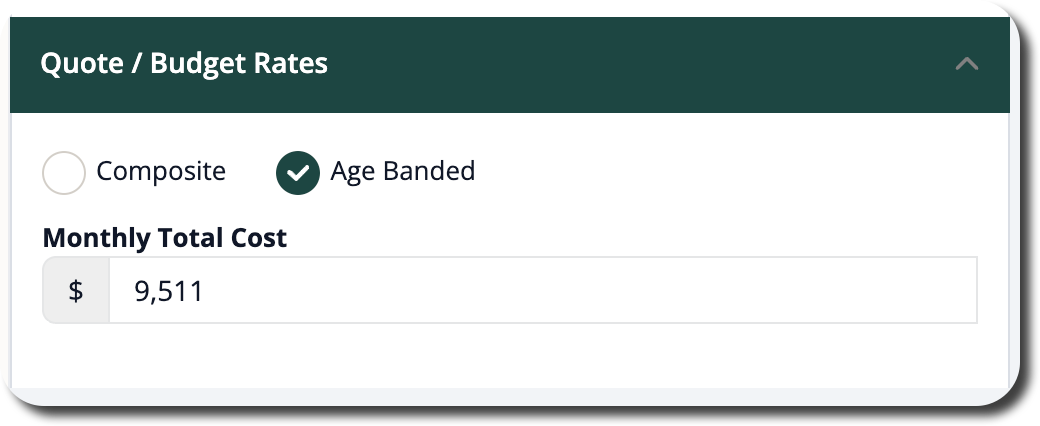
Age-banded states. This covers most of the states listed above. The section opens on Age Banded with a single Monthly Total Cost field. Enter the total monthly premium for everyone enrolled on that plan option and leave the rate type alone. That total is divided by the enrolled employee count to produce the PEPM, and the PEPY follows from it.
Composite states. In New York and Massachusetts, the section opens on Composite with Composite Rate Override already checked. Enter the composite rate for each tier: Employee Only, Employee + Spouse, Employee + Child, Employee + Children, and Employee + Family. You are typing the carrier's own numbers straight in — no math required.
The Rates line at the top of the quote card always shows which basis you are on, and clicking it jumps you directly to the entry fields.
What to Use as Your Source
The group's most recent carrier bill is the best source — it reflects what they are paying right now. A carrier rate sheet or the current renewal letter works equally well.
For an age-banded plan, use the bill's total monthly premium for that plan and confirm the enrolled count on the plan option matches the census. The PEPM is only as accurate as that count.
For a composite plan, use the billed rate for each tier rather than a blended average.
Common Questions
Common Questions
- Do Unrated plans affect contribution modeling or the presentation? If you have composite rates, contributions will behave as expected. For age-rated plans, the contributions will not work as expected, as there is no ability to deduce employee cost from dependent cost or cost per person or family.
- Why can I only select these plans on the Current Plan group? They are there so you can record in-force coverage accurately. Renewal and marketing rates come back from the carrier through the renewal itself.
- Can I switch an age banded plan to composite so I can type tier rates? Yes
- Do I have to re-enter rates every quarter? No. Rates you enter stay on the plan.